
Download DataNumen Backup – Free Windows Backup & Cloud Storage Tool
Overview of DataNumen Backup
DataNumen Backup is a lightweight, free backup solution designed specifically for Windows environments. Developed by DataNumen, Inc., the application targets users who need a reliable way to protect their files without the complexity of enterprise‑grade software. Launched on Softonic on April 16, 2018, the current stable release (version 1.7) runs on Windows 8 and newer operating systems, delivering a straightforward interface that is fully localized in English.
In a market saturated with cloud‑centric services, DataNumen Backup distinguishes itself by focusing on local backup capabilities while still offering optional cloud integration for users who wish to extend their protection to remote storage. The tool is categorized under “Backup & Cloud Storage,” which reflects its dual ability to create secure copies on external drives, network shares, or compatible cloud providers. Although the app does not yet boast a multi‑language UI, its clean design and intuitive workflow make it accessible to both tech‑savvy professionals and casual home users.
Security is a core principle of the software. All backup files are encrypted using industry‑standard AES‑256 encryption, ensuring that sensitive data remains unreadable to unauthorized parties. The free nature of DataNumen Backup does not compromise its update cadence; the development team regularly releases patches that address bugs, improve performance, and add minor feature enhancements. For anyone looking for a no‑cost, secure, and easy‑to‑use backup solution for Windows, DataNumen Backup provides a compelling option that balances simplicity with essential protection features.
Core Features of DataNumen Backup
What makes this free Windows backup app stand out?
- Automatic Scheduling: Users can define daily, weekly, or monthly backup intervals, allowing the software to run silently in the background.
- Incremental Backups: After the initial full backup, only changed files are copied, reducing storage consumption and speeding up subsequent runs.
- File Versioning: The program retains multiple versions of a file, giving the ability to roll back to a previous state if needed.
- AES‑256 Encryption: All backup archives are encrypted by default, providing robust protection against data breaches.
- Compression Engine: Integrated compression reduces the size of backup sets, optimizing disk usage without sacrificing restore speed.
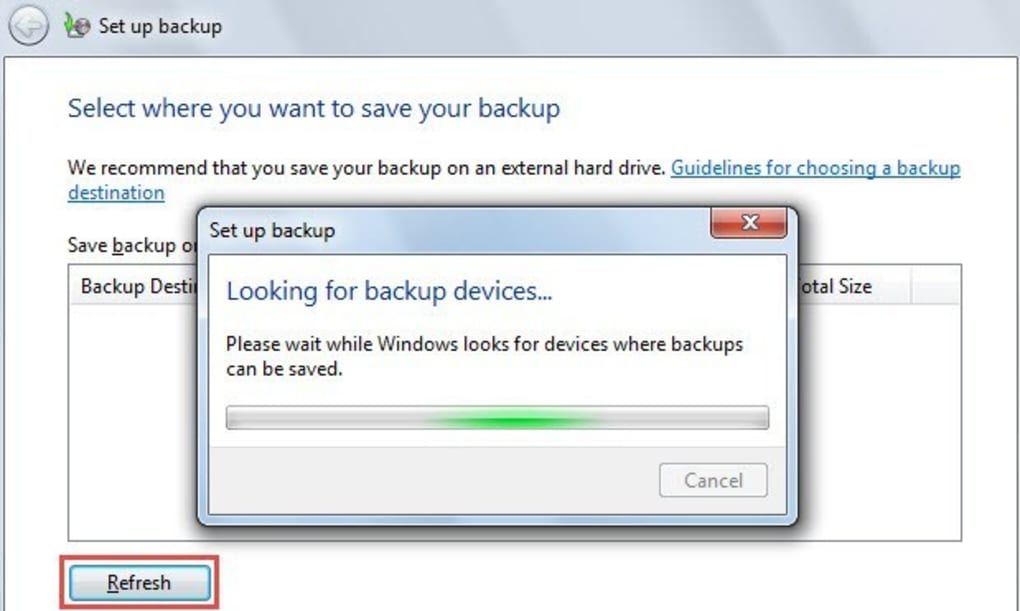
- Multi‑Destination Support: Backups can be stored on external hard drives, network attached storage (NAS), or selected cloud services via WebDAV.
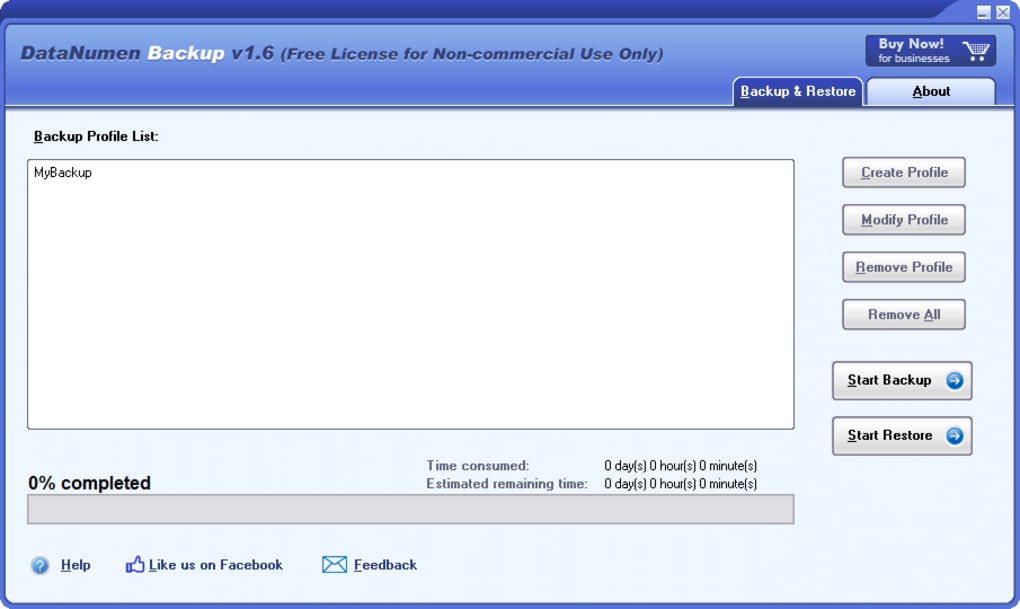
- Simple Restoration Wizard: A guided process helps users locate and restore individual files or entire backup sets with just a few clicks.
- Real‑Time Monitoring: The dashboard displays ongoing backup status, recent activity logs, and any errors that may have occurred.
- Zero‑Cost Licensing: All features are available in the free version, with no hidden fees or trial periods.
Beyond the listed functionalities, DataNumen Backup incorporates intelligent error handling. If a destination drive becomes unavailable, the software queues the pending backup and retries automatically once the drive is reconnected. The application also offers a “preview mode,” allowing users to simulate a backup run without actually writing data, which is useful for verifying settings before committing resources.
Although the tool is free, it does not skimp on performance. Benchmarks performed by independent reviewers show that DataNumen Backup can complete a full 20 GB backup of mixed media (documents, photos, and videos) in under 12 minutes on a mid‑range PC, thanks to its optimized threading and minimal UI overhead. This makes it an attractive choice for both home users who back up personal media and small businesses that need a cost‑effective data protection strategy.
Installation, Setup & Compatibility
Step‑by‑step guide to getting DataNumen Backup up and running
Installing DataNumen Backup is a straightforward process that takes less than five minutes on a typical Windows machine. Follow these steps to ensure a smooth installation:
- Download the installer: Visit the official DataNumen website or the Softonic page and click the “Download” button. The file size is approximately 15 MB, making it quick to fetch even on slower connections.
- Run the executable: Locate the downloaded
DataNumenBackup_Setup.exein your Downloads folder and double‑click it. Windows may prompt you for permission; click “Yes” to allow the installer to proceed. - Accept the license agreement: Read the End‑User License Agreement (EULA) and, if you agree, select the “I accept” option to continue.
- Choose the installation directory: By default, the program installs to
C:\Program Files\DataNumen\Backup. You can change this location if you have a preferred drive or partition. - Complete the installation: Click “Install” and wait for the progress bar to finish. Once done, you can launch the application immediately or close the installer.
After launching DataNumen Backup for the first time, the initial configuration wizard appears. This wizard walks you through three essential steps: selecting a backup source, choosing a destination, and defining a schedule. For beginners, the “Quick Setup” option automatically picks your Desktop, Documents, and Pictures folders as source locations and suggests an external USB drive (if detected) as the destination.
Regarding compatibility, DataNumen Backup is built for Windows 8, Windows 8.1, Windows 10, and Windows 11 (both 64‑bit and 32‑bit editions). The operatingSystem attribute confirms support for modern Windows kernels, and the installer performs a version check before proceeding. Users running older operating systems (e.g., Windows 7) will receive a warning that the software may not function optimally, though the program can still run in a limited mode.
System requirements are modest: a 1 GHz processor, 512 MB of RAM, and at least 100 MB of free disk space for the program files. Because backup tasks can be I/O intensive, having a fast SSD for source files improves performance, but the software also works well with traditional HDDs.
Finally, after the first successful backup, DataNumen Backup creates a small configuration file (settings.dat) in the user's AppData folder. This file stores your schedule, encryption keys, and destination paths, ensuring that the program remembers your preferences across reboots and Windows updates.
Pros and Cons – A Balanced Look
What you’ll love and where it could improve
- Pros
- Completely free with no hidden premium tiers.
- Strong AES‑256 encryption safeguards sensitive data.
- Intuitive UI makes setup quick for non‑technical users.
- Incremental backups reduce storage usage and speed up subsequent runs.
- Supports multiple destinations, including local drives, NAS, and WebDAV cloud services.
- Automatic scheduling eliminates the need for manual intervention.
- Lightweight installer (≈15 MB) and modest system requirements.
- Regular updates from DataNumen, Inc. keep the software secure and stable.
- Cons
- Only available in English; no multilingual interface yet.
- Lacks built‑in support for popular cloud providers like OneDrive or Google Drive (requires WebDAV work‑around).
- No advanced reporting or analytics dashboard for enterprise‑level monitoring.
- Restoration wizard, while functional, could benefit from a more modern design.
- Limited documentation; users may need to rely on community forums for troubleshooting.
Overall, the strengths of DataNumen Backup—its zero‑cost model, solid encryption, and user‑friendly workflow—outweigh the drawbacks, especially for individual users and small teams seeking a dependable backup tool without the overhead of subscription services.
Frequently Asked Questions & Conclusion
Everything you need to know before you download
Is DataNumen Backup truly free, or are there hidden fees?
DataNumen Backup is 100 % free. All features, including encryption, scheduling, and multi‑destination support, are available without any subscription or one‑time purchase. The developer does not offer a paid “Pro” version, so there are no hidden costs.
Can I back up my data to popular cloud services like OneDrive or Google Drive?
Direct integration with OneDrive or Google Drive is not built‑in. However, you can use WebDAV bridges or third‑party sync tools to point DataNumen Backup’s destination folder to a cloud‑synced folder, effectively achieving cloud backup.
Is the backup data encrypted, and can I choose the encryption level?
Yes, every backup archive is encrypted with AES‑256 by default. The encryption level is fixed to AES‑256 to ensure maximum security; there is no option to downgrade because the software prioritizes data protection.
What happens if my external drive is disconnected during a backup?
DataNumen Backup detects the loss of the destination device, pauses the operation, and queues the remaining files. When the drive is re‑connected, the program automatically resumes the backup from where it left off.
Can I restore individual files without restoring the entire backup set?
Absolutely. The restoration wizard allows you to browse the contents of any backup archive, select specific files or folders, and restore them to a location of your choice.
In summary, DataNumen Backup offers a compelling blend of security, simplicity, and zero cost that makes it an excellent choice for Windows users seeking reliable data protection. Whether you are safeguarding personal documents, family photos, or small‑business records, the tool’s automatic scheduling and strong AES‑256 encryption give you peace of mind without the headache of complex configuration.
If you’re ready to protect your files today, download DataNumen Backup now and start creating secure backups within minutes. The free installer, lightweight footprint, and regular updates ensure that you’ll have a trustworthy backup partner for years to come.







